
Appearance
Go-live checklist
Who this is for: Admin, Tenant owner, Duty lead
What you'll achieve: Generate a sample week, review gaps, publish, and mark the school live
Before you begin
Complete Initial setup until the wizard shows Ready to go live (or open the Go live card):
- School type chosen
- Staff imported or consciously skipped for later sync
- Duty areas and time windows saved
- Weekly template names accepted, edited, or left for rebuild to pick
- Grade cover order reviewed
- Rota person invited or skipped (optional)
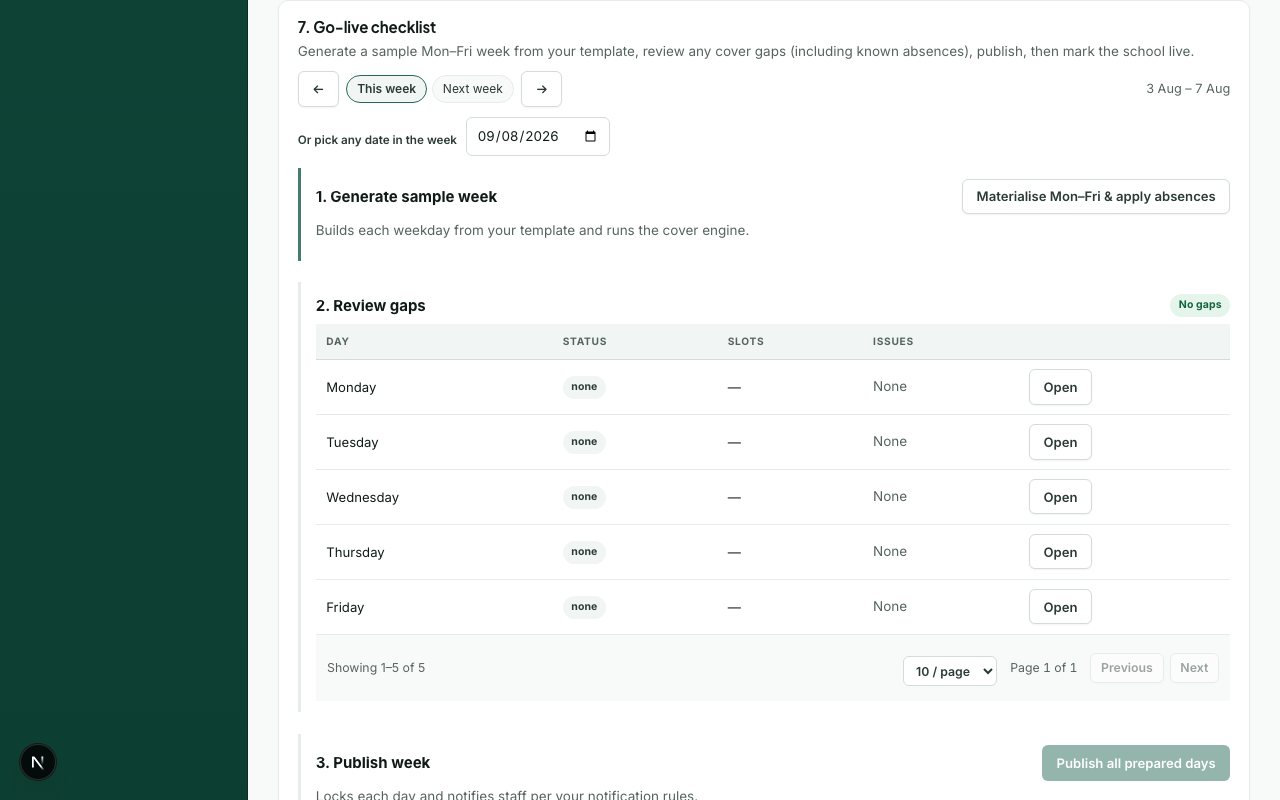
Steps
- Open Setup and go to the Go live card, or use the go-live panel when the badge shows Ready to go live.
- Build a sample week from your template (runs the cover engine).
- Review unfilled posts, only-if-needed placements, soft conflicts (teaching / weekly blocks), and any same-time duties at another school on each day. Posts that meet their minimum but are below ideal headcount are not listed here; tune those on Today or Timetable if you want more cover.
- Fix issues by adjusting template assignments, duty tiers, headcounts, or commitments - then rebuild if needed.
- Publish the week (locks days and notifies per rules).
- Select Mark live so setup state becomes Live.
You can also run the same build → review → publish flow from Today or Timetable using Build week and Publish week. Review week and clash resolve stay on Today.
Acceptance checks
- [ ] Every core zone has a lead where required
- [ ] Unfilled posts are zero - or consciously accepted with a plan
- [ ] Soft conflicts reviewed (teaching / weekly blocks) and any same-time other-school duties accepted as At risk or swapped on Today
- [ ] Last-resort use is explained and acceptable for the sample week
- [ ] A test user receives an in-app (and optionally email) notification on publish
- [ ] Week export downloads successfully
- [ ] Microsoft 365 schools: profile photos configured if you want faces instead of initials (after staff have access)
What happens next
- Today board for daily operations
- Rota change requests for staff asking to come off a duty
- Recording absences for same-day cover
- Analytics after a few live days