
Appearance
Initial setup
Who this is for: Tenant owner, Admin
What you'll achieve: Complete the guided setup wizard from school type through your first published week
Requires role
config.manage. Tenant owner or Admin
Before you begin
- You can sign in to
/t/{subdomain}/login(see Sign up and start your trial if you are still provisioning) - Optional but recommended: a staff list (use the downloadable CSV template) and either one duty rota for the whole school, or one timetable file per person. Spreadsheet, Word, PDF, or photo all work. Import staff first so names on the files can be matched.
Blank-school onboarding does not inject real school data unless you choose Load demo training data on the AI setup step. Everything else is what you configure or approve.
First sign-in
Local-password owners, admins, and duty leads enrol an authenticator app before the rest of the portal. That screen looks like the login card: scan the QR code, enter a six-digit code, then Done. SSO accounts skip this and use MFA at your identity provider.
After MFA you stay in a focused wizard (no Operate sidebar, no Assistant). The header is Guide, Help, and Sign out. You cannot open Account settings until setup is finished or you skip.
Continue moves to the next unfinished card. Work you already did on an earlier screen is skipped. Wizard Back stays on Setup. Browser Back also stays with this school’s wizard (it does not restore the full menu).
Leave focused setup with Skip for now, look around first. That opens the normal sidebar and shows a reminder banner until you finish. Colour, logo, and organisation name live in Admin → General after you skip or go live, not in this wizard.
Setup state
The wizard header shows a state badge:
| Badge | Meaning |
|---|---|
| Not started | No steps completed yet |
| In progress | Some required steps remain |
| Ready to go live | All prerequisites done. Build and publish on the Go live step |
| Live | Setup marked live; Today is your operational board |
Progress is Step N of M for the cards this school needs. Open All steps if you need to jump around. A typical primary with no staff list yet shows six cards: AI setup, Staff directory, Day structure, Weekly template, Grades & cover order, Go live.
These cards appear only when they are useful:
| Card | When you see it |
|---|---|
| Staff lunches | After at least one person is in the directory |
| Lessons & blocks | Secondary, all-through, and special by default, or when teaching is on for that school |
| Rota person | After the required setup cards are complete |
Required cards must be complete before Mark live. Optional cards can be skipped.
Trusts with more than one school
If you signed up as a trust (or added extra schools in Admin → Schools), each school has its own setup:
- After first sign-in you land on the first school that still needs setup, not a blank trust home.
- Focused setup has no school switcher. Finish or skip that school first. Then the sidebar School menu lists every school. Schools that are not live yet show Setup.
- When you are in the full app, the wizard header can show Trust setup and how many schools are live. Click another school name to switch.
- Organisation name, colour, logo, and country apply once across the trust (set them in Admin → General). Duty areas, weekly template, and go-live are per school.
- Staff live in one directory. Import them on the first school. On later schools, use Add from another school (or import the same list) to attach those people without duplicating them. Choose Share them for staff who cover both schools, or Move them here if they should only appear on this school's rota. See Staff directory.
- School type is per school. Set it on the AI setup card, or later in Admin → School. A secondary gets corridor and gate suggestions plus Lessons & blocks. A primary stays on playground and lunch duties.
- Names can be tidied at any time in Admin → Schools. Edit the name in place and click Save name; the sidebar menu and setup headers update straight away. The short code in the web address does not change.
AI setup
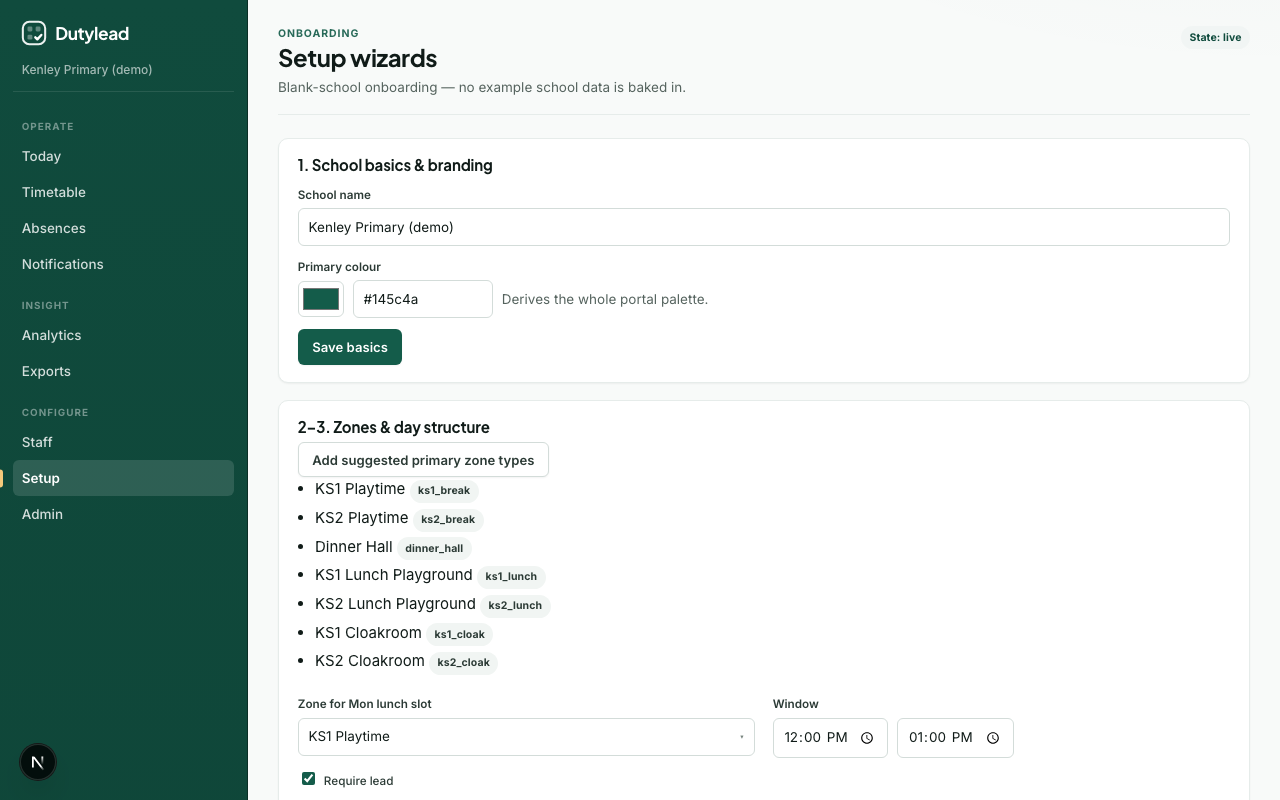
- Open Setup (or land here after first sign-in).
- Watch the short welcome video if helpful.
- Confirm country, region, and terminology under locale settings.
- Choose school type (primary, nursery, secondary, and so on). Duty area suggestions follow this choice. You can change this later from Change school type on this card, or Admin → School once the full menu is available. Changing it does not rewrite a rota that is already live.
Primary, secondary, and all-through setups include Breakfast club and After-school as suggested duty areas and named periods. Add those time windows on the same board when you run wraparound. Nursery setups suggest rooms, session times, and Late collection.
Fastest path - AI setup (recommended):
- Under Import staff, then your timetable, open the Staff list stage and press Download staff template. Fill in names, titles, emails, and cover preference (Often / Sometimes / Only if needed), then upload it. Review the preview and commit. Staff should exist before any timetable is read.
- Switch to Existing timetable and upload last year's duty cover (see One file or many personal timetables).
On the later Staff directory step, the same Download staff template button appears at the top of the import card if you skipped the welcome upload. 3. In Suggested setup, edit (or remove) duty area names and break and lunch times. Those blocks can change week to week: keep the ones that should repeat, then apply areas and times. Weekly names stay as suggestions. Nothing is saved until you approve. 4. The wizard skips ahead to Day structure when a rota is applied, so you can review the areas and times (you do not upload the same files again). People from the rota are not pinned to duty areas yet.
Other options:
- Set it up by hand - expand Other ways to start and press Continue to walk through each step.
- Load demo training data - labelled practice staff and zones for training; replace with real data before go-live.
One file or many personal timetables
Use Existing timetable on AI setup (or Upload a different rota later on Day structure). This builds a duty roster, not the period-by-period lesson import on Staff. Nothing is saved until you review the draft and apply it. A live board is not rewritten by the upload itself.
| What you have | What to upload |
|---|---|
| One spreadsheet, Word file, PDF, or photo of the whole-school duty rota | That one file, the same as previous years |
| Each staff member has their own timetable | Every personal file at once (Choose files, up to 40). Name files after the person when you can (Jo Smith.pdf) |
Spreadsheet, Word (.docx), PDF, photo, or pasted text all work. Mix formats in one batch if you need to.
SchoolRota merges the pack into one school duty roster: the same playground at the same time is one post, and each person who covers it is listed on that post. From a personal teaching timetable it keeps playground, hall, gate, lunch, break, cloak, corridor, and bus cover, and skips ordinary lessons (subject, class, room). Import those lessons separately with Importing a teaching timetable.
Names are matched to the directory. Names that are not in the staff list are listed so you can add them, match them to an existing person, or ignore them.
Photos: the first 6 are read. Convert extra personal pages to PDF or Word so they are all included. A combined extract over 1 MB needs fewer files in the batch.
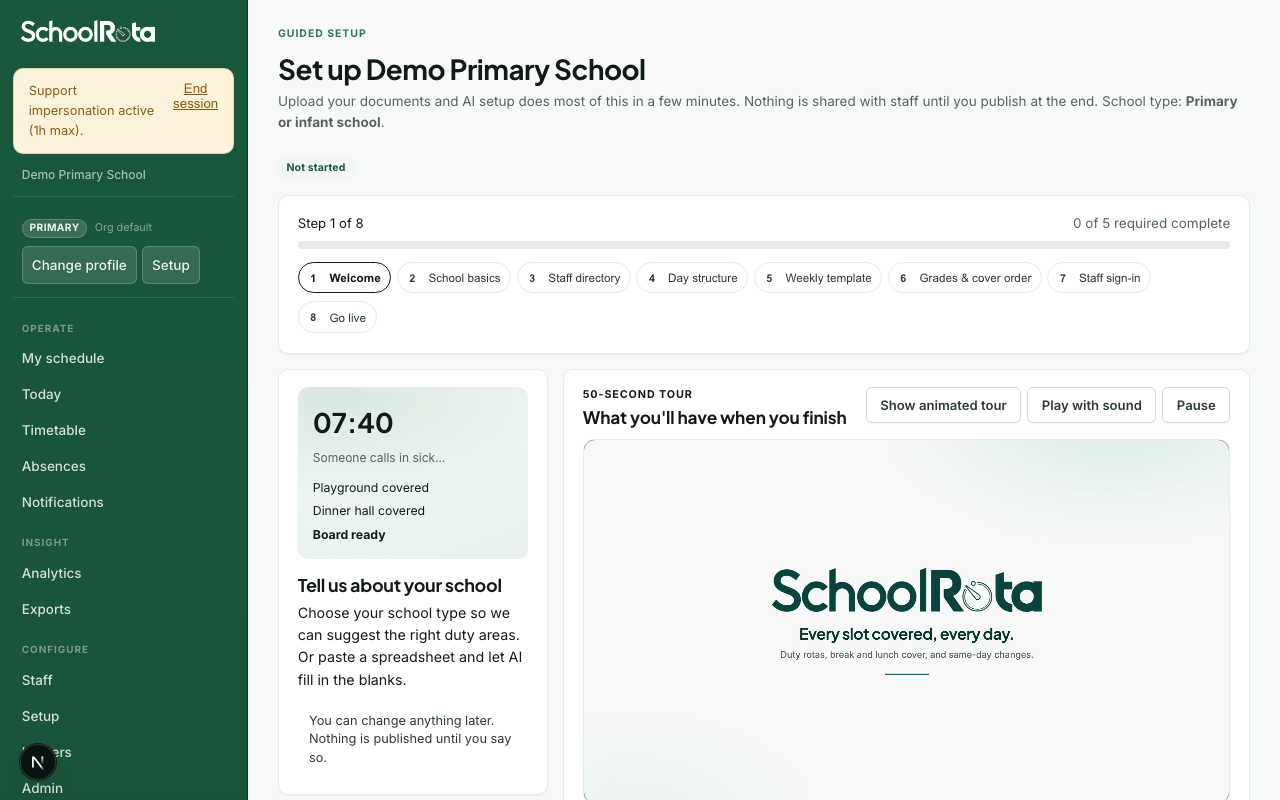
Staff directory
- Import staff if you did not already on AI setup. Download the CSV template, fill it in, then upload. Include name, title, email and cover preference where possible.
- Or open Other options and choose I will add staff later. Larger schools and trusts with SCIM enabled can skip and sync from Admin instead.
See Importing staff for column details.
Staff lunches (optional)
Staff must already exist (this step comes after the directory). Skip if you will sync people later, or if you will add windows from Staff → Weekly blocks.
Create lunch breaks, then assign the staff who take them. A fixed break is the same time for everyone on it. A flexible window is a longer sitting (for example 11:00–13:00) where each assigned person gets a short break (usually 30 minutes). You can create more than one of each. Staff with no lunch break stay available and are highlighted on this step.
Worked example for staggered staff lunches (not pupil sittings): give KS1 staff a fixed break at 11:45–12:15, and KS2 staff a later fixed break at 12:15–12:45. The two windows can overlap. Rebuild still treats each as that person's own break, never a pupil lunch sitting. For covering children's KS1 and KS2 sittings, use Day structure times on the hall or playground.
- Add a lunch break, choose fixed or flexible, set the times and days, and tick the people who take it.
- Repeat for another group if needed, or use each person's dropdown once a window exists.
- Rebuild later so flexible breaks appear on the timetable. Rebuild tries several legal lunch-cover and break layouts and keeps the one that covers posts and assigned breaks best. Often who are free take a later lunch post before Sometimes. If nobody can cover, the day notes that they had no break.
The engine will not place assigned people on an overlapping post when you later build the week. Chat can list and set the same windows. See Weekly blocks.
Select Save and continue if you saved at least one window, or Skip for now.
Day structure
- If you already uploaded a rota or personal timetable pack on AI setup, this step is a review. You do not upload the same files again. Check duty areas (posts) and time windows. Rename or remove anything wrong. Remove on a duty area deletes that post plus its weekly times and day-board sessions (people assigned only to those posts come off them). If the same post appears twice (for example two KS1 Playtime rows), a warning offers Remove extra from all rotas. That deletes the extra from the weekly template and every day board, and leaves the original. Suggested weekly names from the upload are not pinned yet. You choose those on the Weekly template step. Open Upload a different rota only if you want to replace what AI setup already captured.
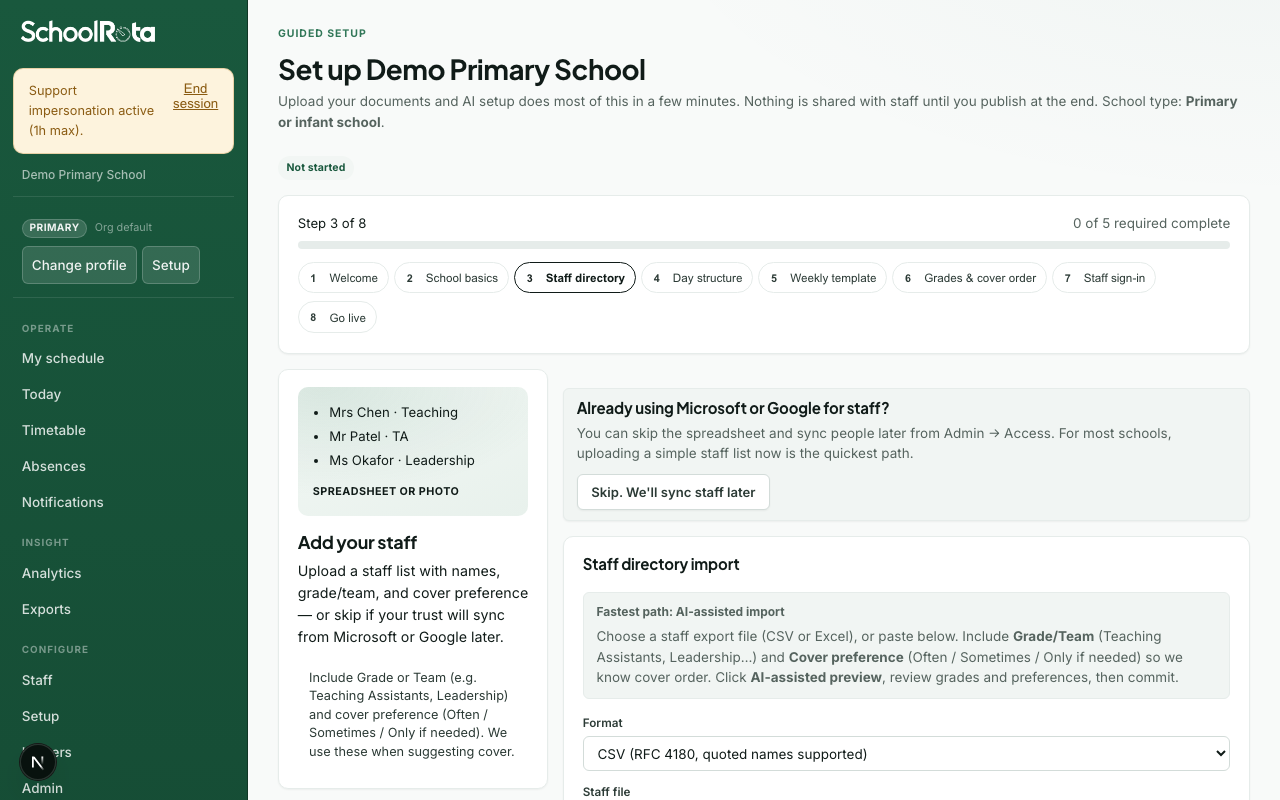
- If you skipped the upload on AI setup, select Add suggested … posts for your school type, or upload a whole-school rota or a pack of personal timetables here, then edit the list.
- Each duty area shows its saved times beside its name. Select Set times, or Add another time, on that row.
- Set the start, end, minimum and ideal headcount, and whether a lead is required. Select Save for {n}-day week to add that time across your operating days.
- Optionally open How many people on each duty to adjust minimum and ideal headcount, whether a lead is needed, and a required skill so only people with that skill are proposed. Filter by day, then edit one session card at a time. Each card lists who is pinned on that weekly post. Use Replace or Remove so rebuild no longer copies the old name. Use Apply to week on a card to copy those rules to every operating day with the same duty area and times (for example lunch Mon-Fri), instead of saving each day one by one. Use Split when one person should cover the first half of a window and another the second: SchoolRota cuts the window into two consecutive sessions (optionally at a time you choose, and optionally on matching days). People already pinned stay on the first half. The second half starts empty so you can assign someone else. Do not raise min headcount to 2 if you want a handover: that means two people for the whole window. Rebuild copies the weekly times as they are. It does not cut lunch posts into halves from the staff break length. Only Split creates those halves.
Children's lunch sittings (duty cover)
When KS1 and KS2 eat at different times, that is duty cover on the hall or playground, not a staff lunch break. Staff lunches take people off duty. Sitting times put people on duty.
Worked example on Dining hall (or playground):
- Select Set times for the first sitting, for example
11:45–12:25, then set minimum and ideal headcount for KS1. - Select Add another time on the same duty area for the second sitting, for example
12:20–13:00for KS2. The windows can overlap if both groups still need staff at once. - Use two duty areas instead (KS1 hall and KS2 playground) when the places differ.
- Use Split on one sitting when the same post hands over halfway (one person first half, another second half). Chat can do the same (
split_duty_session).
Rebuild and publish the week so Today matches the new times. SchoolRota does not record which children ate.
Press Save and continue when at least one duty area and one time window exist.
To throw away the weekly duty times and start again, open Start again with a blank weekly timetable on this step (or on Weekly template). That removes every duty time and who is assigned on it for this school. Staff, duty area names, imported lessons, and already published days stay. Add times again, or upload a rota. If the school is already live, rebuild and publish a week so the live board matches the new times.
Imported lesson times are separate. Clear those with Clear timetable on the Lessons and weekly blocks step.
Skills and first aid
Tick skills on people in Staff. Require the same skill on a session (for example first_aider on lunch) so cover only proposes people who have it. Every person on that session must hold the skill. Rebuild drops anyone already pinned there who does not have it. Add a named skill such as Gate duty when only some staff should cover that post.
Lessons and weekly blocks (optional)
This step is where you tell SchoolRota when staff are already busy, so cover is never put on top of teaching. Secondary, all-through, and special schools see it by default. Primary and nursery setups hide it unless teaching is turned on for that school. You can skip it with Skip for now.
- Import lesson times by pasting or uploading a CSV. Rows are matched to staff by email first, then name; anything unmatched is listed so you can fix it before committing. See Importing a teaching timetable for column details.
- Optionally open Two-week timetable and set a Week A start date if you run Week A / Week B.
- Optionally open Weekly blocks, then Open Staff to add weekly blocks for recurring commitments such as PPA, phonics, intervention or meetings. If you uploaded a support-staff rota on AI setup, every staff-card line is listed there (phonics, P4L, cover, duty, lunch, and the rest) so you can keep or remove them before applying. See Weekly commitments.
Anyone teaching or blocked during a duty window drops to the bottom of the cover list and is flagged with an amber tag on the board. Whether that also stops publishing is your choice under Cover policy.
To keep lesson times fresh without re-importing, host a CSV and use Staff → Teaching → Sync now. Native MIS connectors and scheduled refresh are coming soon.
Weekly template
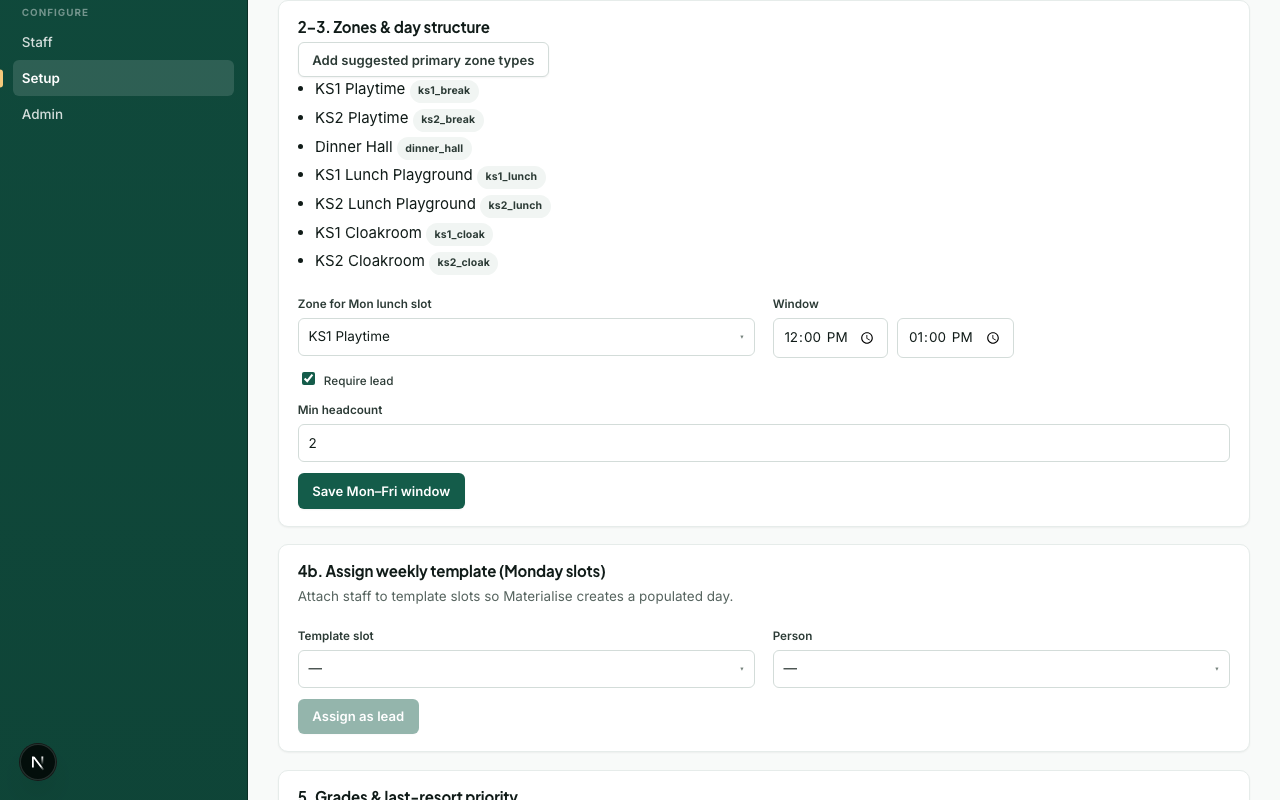
- If the rota upload found names, SchoolRota asks before pinning them. Choose Accept these names, Edit, remove or add, or Don't pin anyone. Pinning means those people appear on every new week until you change them. Don't pin leaves the duty times in place and lets rebuild pick cover.
- If names were already pinned from an earlier apply, you are asked to Keep these names, Edit names, or Clear all pinned names. Edit opens the weekly list so you can replace or remove people one by one.
- Review Who stays on each duty every week. Anyone listed here is copied onto new weeks. Use Replace (the same staff picker as Timetable) or Remove if they should not stay. Clear all pinned names at the top clears every weekly name and leaves the duty times. If a pinned person is off sick on a built day, they come off that post and cover is filled. They stay on this list for later weeks. Chat can list, pin, replace, remove, or clear the same weekly names (
list_slotswith no date,assign_template_person,replace_template_person,remove_template_person,clear_all_template_people). Say the person, duty, and day. - You can still upload or re-apply a rota, or assign someone manually: pick a day and duty time, then a person.
- Press Save and continue after you have answered the pin question (or assigned names by hand). Already-built days stay as they are until you rebuild.
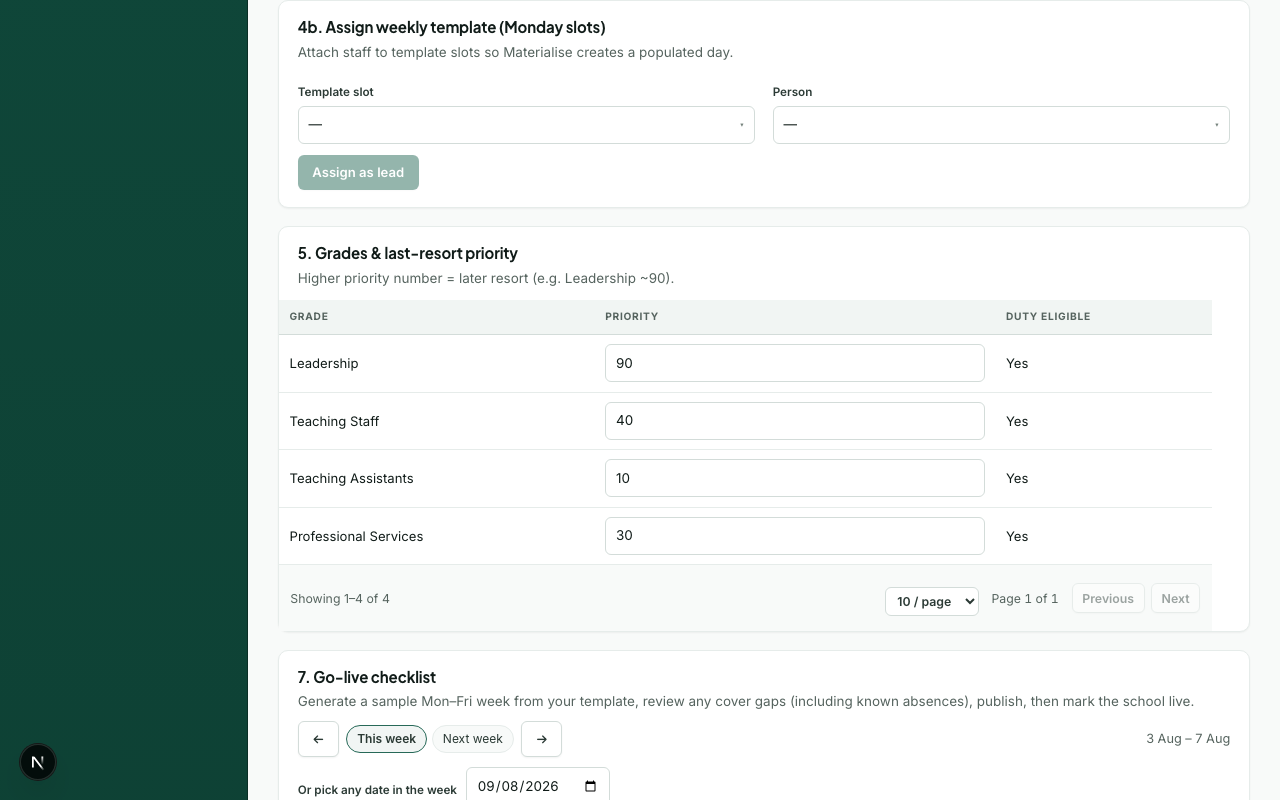
Grades and cover order
- Review each grade's Ask order (lower number = asked sooner; Teaching Assistants first, Leadership near the bottom).
- Toggle Duty eligible off for grades that should never cover.
- Spot-check office/reception people on Staff - they should be Only if needed unless your school wants them in the normal cover pool.
- Changes save on blur or checkbox change. Press Save and continue when satisfied.
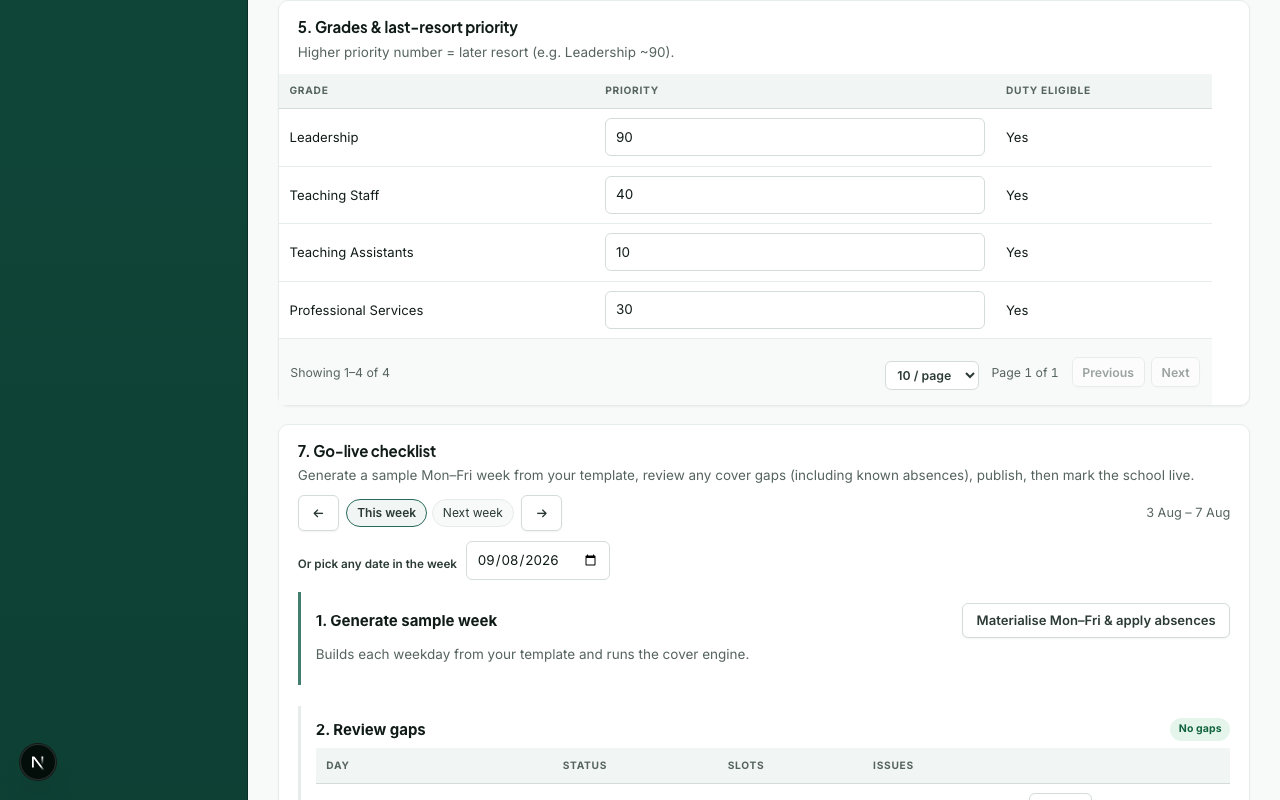
Rota person (optional)
- Invite the rota person who will publish each day - usually as Duty lead, or Admin if they will also manage setup.
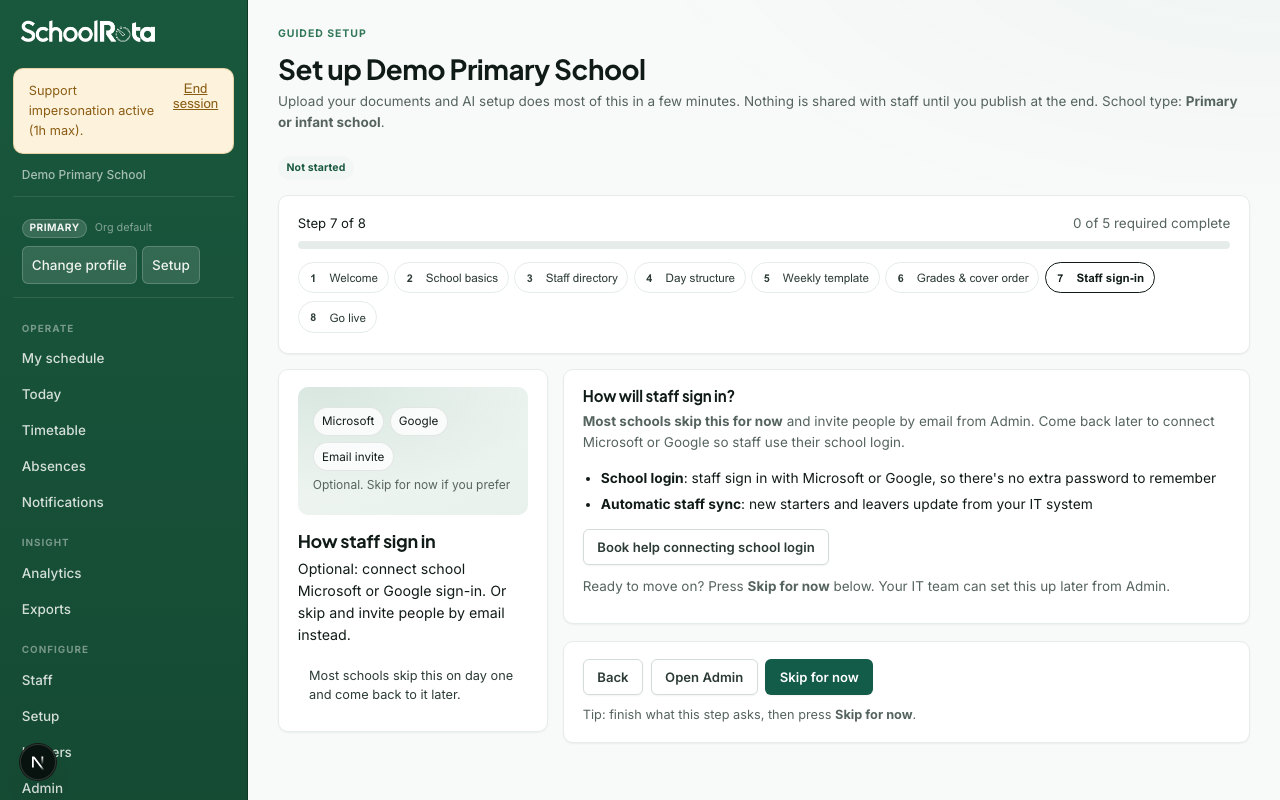
- Optionally open School login later to book help for SSO. Most schools skip this on day one.
- Select Save and continue if you invited someone, or Skip for now.
Go live
- Build a sample week from your template (runs the cover engine).
- Review unfilled posts, only-if-needed placements, and soft conflicts.
- Publish the week when satisfied (this notifies staff per your rules).
- Select Mark live to set setup state to Live, or Finish setup later to return to Today and complete publishing another day.
- Optionally set school name, logo and colour in Admin → General. That is not required to go live.
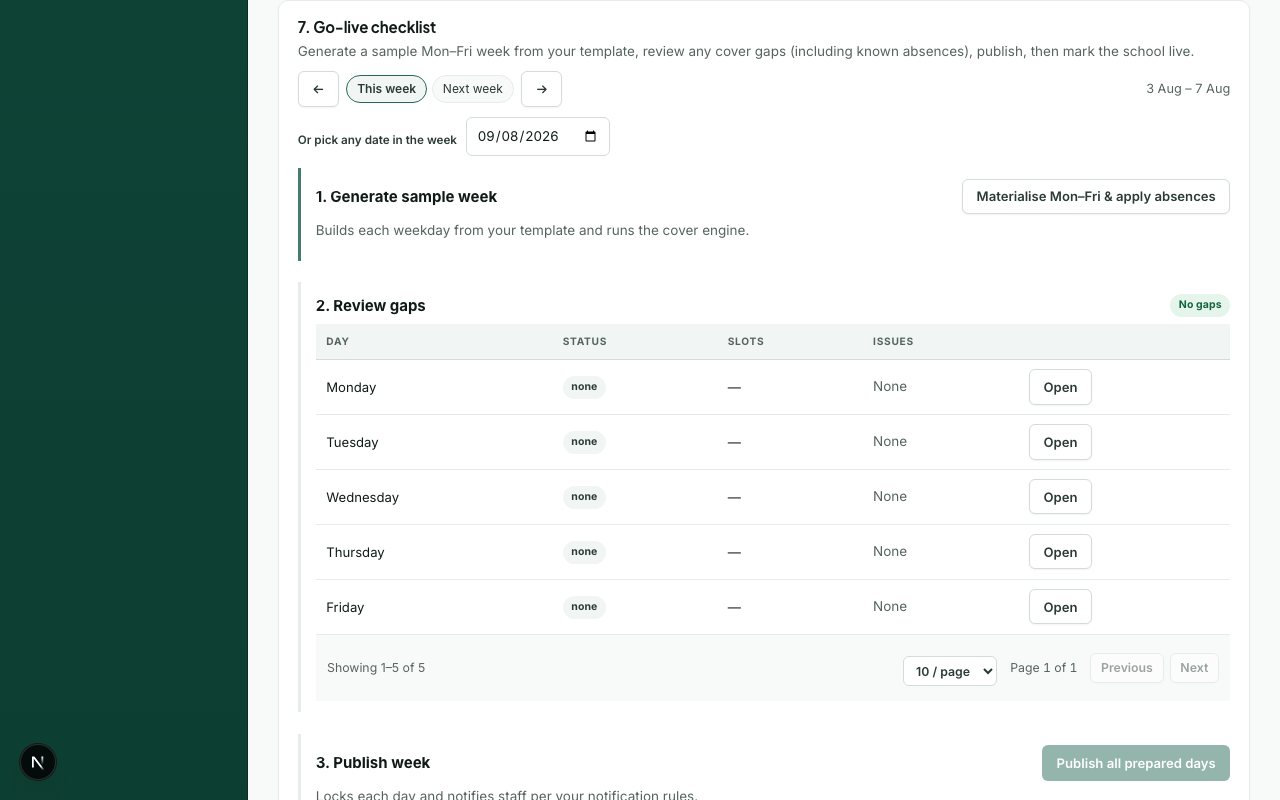
For a fuller walkthrough of the review flow, see Go-live checklist.
What happens next
Troubleshooting
| Problem | What to try |
|---|---|
| Cannot continue on Day structure | Add at least one duty area and save a time window |
| Lessons and weekly blocks not needed | Select Skip for now; it is optional and never blocks go-live |
| Landed on Account after MFA | That is expected only while you enrol. After Done, you should see the wizard, not the full Account settings page |
| Full menu appeared during setup | Use Skip for now only when you mean to leave. Browser Back should return you to this school's wizard. Reload Setup if an old tab still shows the sidebar |
| Cannot continue on Weekly template | Assign at least one lead, or re-apply your rota |
| No staff to assign | Go back to Staff directory or skip staff and add people later |
| Gaps after generate | Adjust template assignments, grades, headcount, or commitments - then rebuild |
| AI draft looks wrong | Edit before Apply, or set up by hand step by step |
| Personal files did not merge | Select every file in one go. Name files after the person (Jo Smith.pdf). Check the draft lists several people on the same lunch or playground post before you apply |
| Extra photos were skipped | Only the first 6 photos are read. Convert the rest to PDF or Word and upload again |
| Combined upload is too large | Remove some files. Extracted text for the batch must stay under 1 MB |
| Lessons appeared as duties | Ordinary lessons are skipped on this step. Keep playground, hall, gate, lunch, and break cover. Load lessons on Staff → Teaching timetable (CSV) |
| Same duty twice (for example KS1 Playtime) | Use Remove extra from all rotas on Day structure or Admin → Cover rules. Adding suggested posts or the same time window again will not create a second copy |
| Need a blank weekly timetable | On Day structure or Weekly template, open Start again with a blank weekly timetable. Lesson imports are cleared separately on Lessons and weekly blocks |